Telecom Toolkit
The Telecom Toolkit is an Android app for telecom engineers: identifier decoders that work offline, eSIM tools that install and manage profiles, OTA on an emulated card or a SIM in a USB card reader, TS.43 entitlement and a lab phone. Several tools also open the RSP Lab web consoles.
| Platform | Android 8.0 or later |
| Distribution | Installed directly; not on Google Play |
| Sign-in | Only for tools that reach RSP Lab services — RSP Lab account |
Quick path: install a profile on a simulated eSIM
- Open eSIM Ecosystem and choose Install profile.
- Choose the emulator as the card. Sign in when asked.
- Pick a simulated eSIM (its EID).
- Paste an activation code from the SM-DP+ console and start the install.
- Open Manage profiles to see it on the card.
The tools
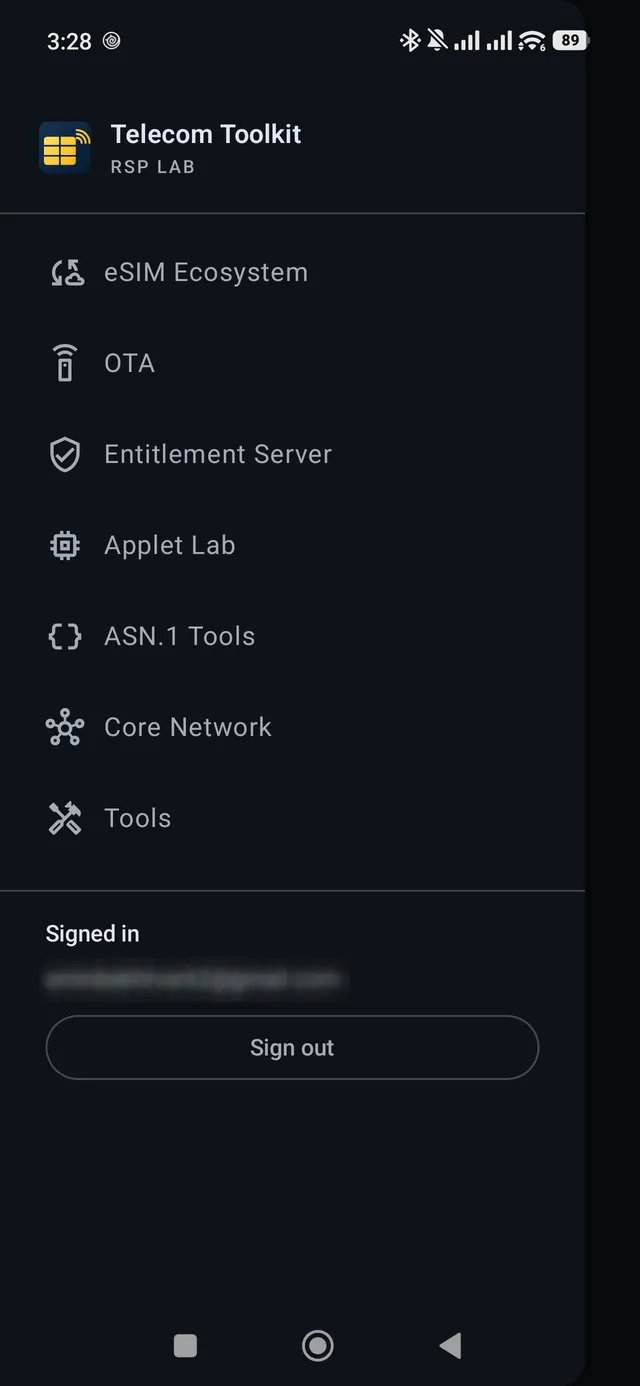
The app opens on a home screen with the drawer out. The drawer has seven sections, in this order: eSIM Ecosystem, OTA, Entitlement Server, Applet Lab, ASN.1 Tools, Core Network and Tools. eSIM Ecosystem can be filtered by specification: SGP.22 (consumer), SGP.32 (IoT) or SGP.02 (M2M).
eSIM Ecosystem
| Tool | Does | Needs |
|---|---|---|
| Install profile | Downloads a profile from an activation code | One of the four card sources below |
| Manage profiles | Lists, enables, disables and deletes profiles | Same as above |
| Initial eIM | Configures the first eIM on a card (AddInitialEim) and reads it back | A card source, as above |
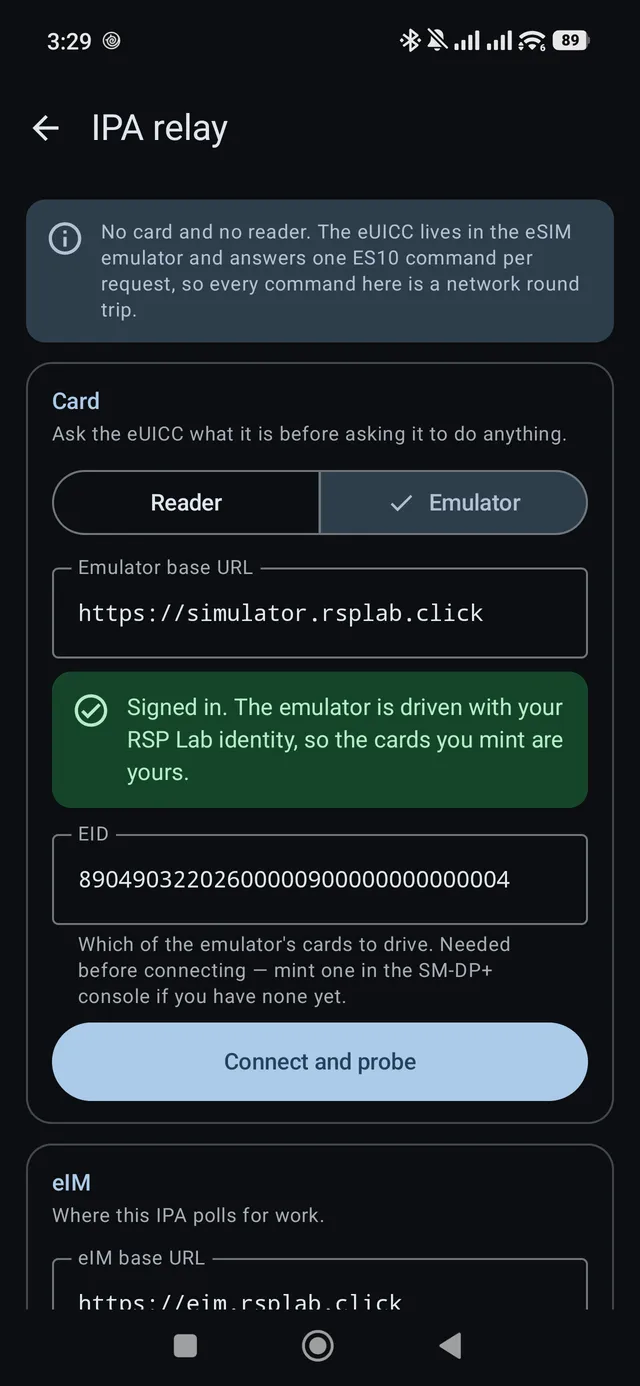
| IPA relay | Polls an eIM over ESipa and runs its packages on a card | USB card reader, or an emulated eUICC |
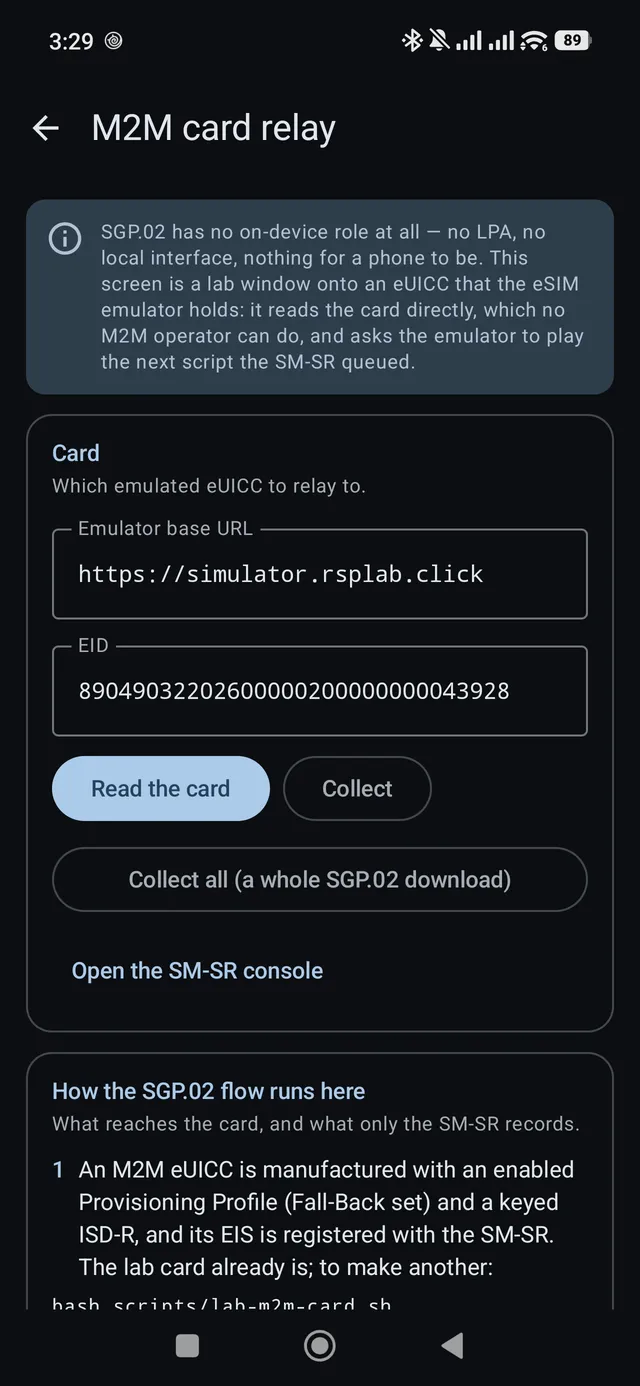
| M2M card relay | Reads an emulated M2M eUICC and plays its queued OTA scripts | Network access to the simulator |
| SM-DP+ console, SM-DP console, SM-SR console, eIM portal | Open the matching RSP Lab web console | A browser |
OTA
| Tool | Does | Needs |
|---|---|---|
| OTA | Provisions a card, sends secured packets (RFM and RAM) and opens an SCP81 admin session, step by step | An emulated card, or a SIM in a USB card reader; sign-in |
| OTA console | Opens the OTA console: cards, keys, counters and every request’s history | A browser |
Provisioning unlocks RFM and RAM, not SCP81: an admin session needs a key set the card was made with, and provisioning a card replaces it. The OTA screen says so on the SCP81 step before you tap it.
Entitlement Server
Entitlement (TS.43) is a phone talking to the RSP Lab entitlement server with one of your emulated eSIMs. Sign in first; the eSIM’s SIM card answers the network’s challenge on the emulator. Entitlement server console opens the web console.
| Section | Does |
|---|---|
| eSIM | Picks one of your emulated eSIMs that has a line. Change picks another |
| Services | Wi-Fi calling (with an on/off switch), 5G, carrier billing, satellite, RCS, the phone number and what else is on the account. Activate opens the operator’s page for a service that needs your details |
| Transfer rules | What the next move of this line asks for: allow transfers, terms, a code, always sign in, release later, a refusal code |
| Move this line | Moves the line to another eSIM, step by step, as a new phone would. New blank eSIM makes the new phone’s card |
| Activity | Everything each action did, grouped by action, with who did it — old phone, new phone, new eSIM. Tap a request to see it in full |
A move shows each step as it happens: the old phone vouches (switch Card signs off to see the web-page path), the new phone checks what the move needs, consent if asked, the move itself, installing on the new eSIM, and finally Wi-Fi calling tried on both phones — the new one on, the old one refused. When it is done, Continue on the new eSIM switches the screen to it.
With always sign in on, the move finishes on the operator’s page instead, and the phone shows no terms step and no code step of its own: the page asks for its own, and the code still arrives on the old phone. The steps look shorter here for that reason, not because anything was skipped.
Applet Lab
Applet Lab says what the Applet Lab does and how a first session goes, then opens it in the browser: writing, building and debugging an applet needs a full editor. Sample applets walks through the worked examples — SMS, USSD, menus, files, BIP and location — with what each one shows.
ASN.1 Tools
| Tool | Does |
|---|---|
| TLV inspector | Names an SGP.22 or ESipa message from its tag and walks the structure, on the phone |
| ASN.1 editor | Opens the ASN.1 editor in the browser; the TLV inspector hands it a message for the full view |
Core Network
Browses the capture analyses the Attach Flow Inspector holds: pick a capture and every message is listed with its direction, the peer it was exchanged with, and its result code, with the first permanent failure named at the top. It needs an open5gs grant — signing in is not enough, and the app says which of the two is missing.
Lab phone turns one of your lab lines into a phone. Its messages are the same conversations as the Messages app on the Entitlement console’s device emulator: a text sent from one appears on the other. Pick a line that has a number, open a conversation, and reply, or start a new message to another of your lab numbers. A sent message shows Sent, Delivered, or “Phone unreachable, will retry” while the other phone is in airplane mode.
The Phone section has the line’s airplane mode switch and what is left of its plan: data, call minutes and texts, from the charging function. When a CAMARA application asks for the subscriber’s consent (for example the console’s Lab bank checking a SIM swap), the request appears at the top with Allow and Deny. The app never asks for Android’s SMS permissions and never reads your phone’s own messages.
Tools — offline, no sign-in
| Tool | Does |
|---|---|
| ICCID decoder | Issuer, country and check digit of a SIM serial number |
| IMEI / IMEISV decoder | Type allocation code, serial and check digit |
| eSIM activation code & EID | Splits an activation code into its parts and checks an EID |
| E.164 phone number | Country code, national number and length check |
| MCC / MNC lookup | Finds a network, or splits an IMSI |
| Base64 encoder / decoder | Both alphabets, both directions |
| Port checker | Tests whether TCP ports on a host are open |
Each decoder takes a paste from the clipboard, and offers an example when the field is empty — the examples are the cases that read differently: an ICCID with its padding, an IMEI without its check digit, an IMSI with a three-digit network code, an EID whose check digits fail.
Which card you are talking to
Install profile and Manage profiles offer four card sources, and they are not interchangeable — each reaches a different card by a different route, with a different thing standing in the way.
| Source | What it reaches | The catch |
|---|---|---|
| Built-in | The phone’s soldered eUICC | The platform LPA does the download and shows its own confirmation. This app never sees the profile, and the SM-DP+ must hold a TLS certificate chaining to a GSMA CI root — so the lab’s own SM-DP+ will not work here. |
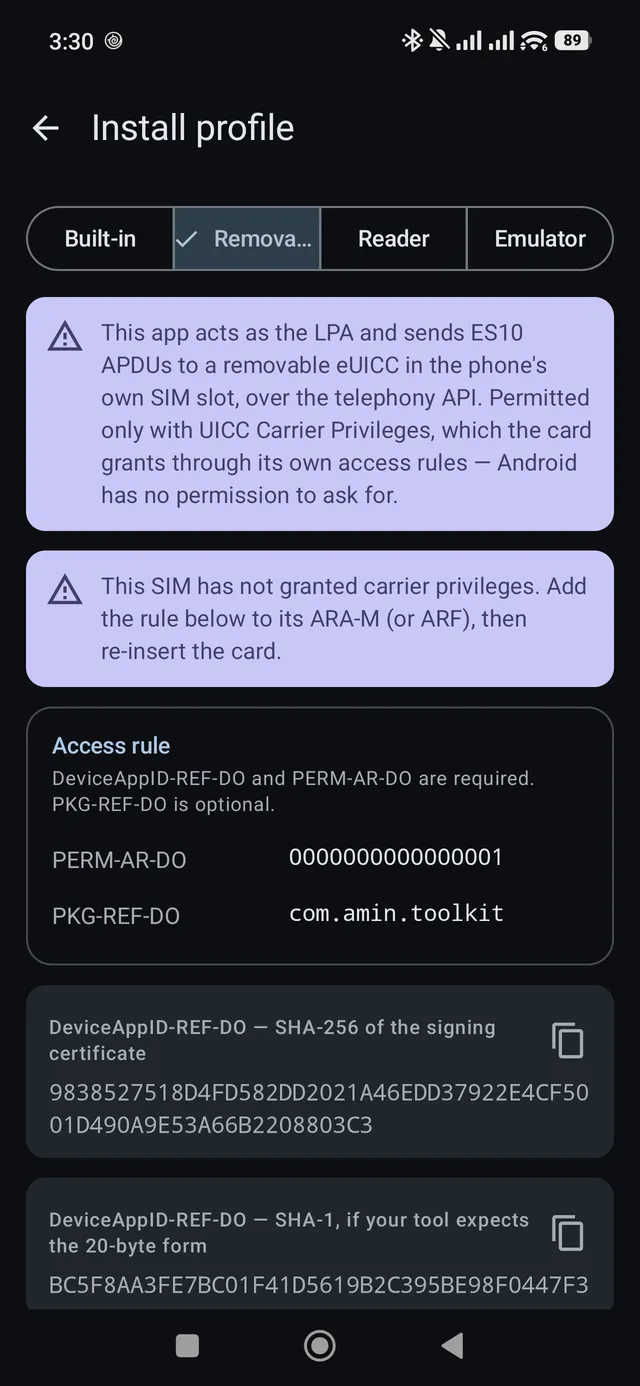
| Removable | An eUICC in the phone’s own SIM slot, over the telephony API | Needs UICC Carrier Privileges, which the card grants through its access rules. |
| Reader | An eUICC in a USB CCID reader | Needs the reader. Asks nothing of the card, which is what makes it the channel that works with an arbitrary test eUICC. |
| Emulator | A card the eSIM emulator holds, over HTTPS | No hardware, but needs sign-in with maintain on the simulator project. Every APDU is a network round trip, so it is slower than the reader. |
Using a USB card reader
The reader tools need a USB CCID smart-card reader connected through a USB OTG adapter. A USB-A reader needs the adapter; Android asks permission the first time you plug one in, and you must allow it.
Troubleshooting
| You see | Why | What to do |
|---|---|---|
| The reader is not detected | The phone lacks OTG support, or permission was declined | Check OTG, unplug and replug, and allow the prompt. A USB-A reader needs an adapter. |
| Removable: “This SIM has not granted carrier privileges” | The card carries no access rule for this app | Add the rule the screen prints to the card’s ARA-M or ARF, then re-insert it |
| Built-in: the EID reads withheld | Reading it needs carrier privileges | Expected, not a fault. The platform LPA still installs. |
| Built-in: the download is refused | The SM-DP+ does not chain to a GSMA CI root | Use Reader or Emulator for a lab-issued profile |
| An eSIM tool says sign-in is needed | The emulator requires an RSP Lab account | Sign in when prompted |
| The emulator tool asks for an EID | No simulated card is selected | Pick one, or mint one in the simulator |