eSIM simulator
The eSIM simulator is a software eUICC — an eSIM chip with no chip. The consoles use it to prove an install without a real phone, and you can drive one directly: create a card, send it commands, and watch the conversation in a live timeline.
| Address | simulator.rsplab.click/console — the site root goes there too |
| Access | a grant on the simulator project, or a lab access token |
| Sign-in | sign in on the page, or paste a token — see below |
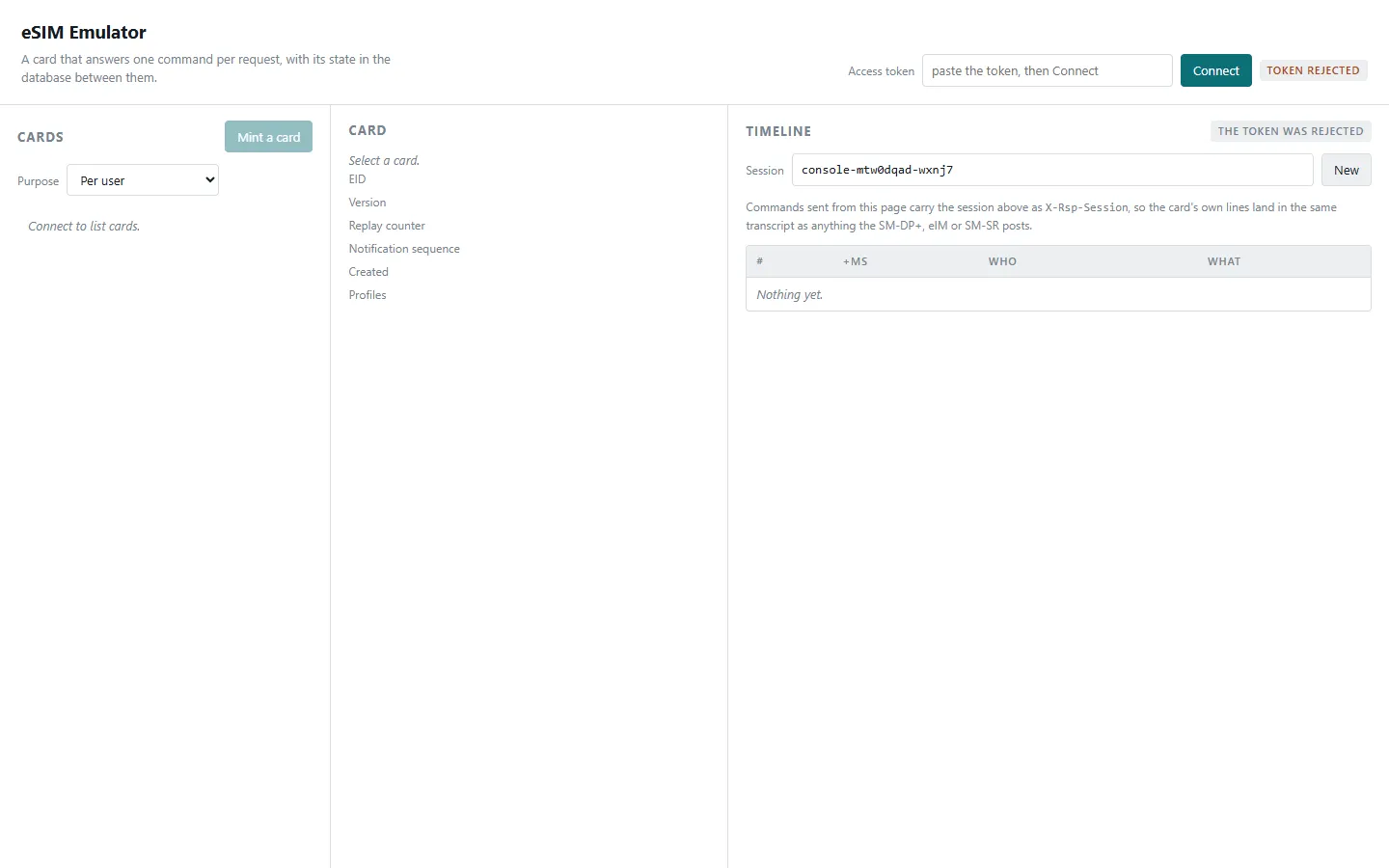
Quick path: talk to a card
- Paste your Access token and choose Connect. The status pill turns connected.
- Choose Mint a card. It appears in the Cards list.
- Select it. The Card pane shows its EID, version and profiles.
- Choose a quick command — GetEUICCChallenge, GetEUICCInfo or GetProfilesInfo — or type your own under Send an ES10 command, then Send.
- The Timeline records the command and the card’s answer.
The three panes
| Pane | What it shows | Needs |
|---|---|---|
| Cards | Your simulated eSIMs, and Mint a card | maintain to mint |
| Card | The selected card: EID, version, replay counter, notification sequence, created, profiles — and the command box | maintain to send |
| Timeline | Every exchange in a session, in order, with timing | read |
Purpose when minting marks what a card is for — Per user, Shared demo, or Conformance fixture — so shared cards are not mistaken for yours.
Following a session
A Session id groups everything that happened in one flow. Choose New to start a fresh one before a test. When a download runs through the SM-DP+ or eIM, their messages land in the same timeline as the card’s, so you read one conversation instead of three logs.
Cards nobody uses are removed
A card that nothing has driven for 14 days is treated as unused and removed overnight. Driven means a command changed the card — so a card something only ever reads still counts as unused, and will go.
Right now the sweep is in report-only mode: it lists the cards it would remove and removes none of them. Tidy up before it starts removing them for real.
The Card pane shows what the sweep will decide from: the card’s purpose, and whether it is kept.
It never removes:
- a card you have marked to keep;
- a shared demo or conformance card;
- a card with remote management attached — the SIM a console drives;
- a card in the middle of a profile download.
A card can be marked to keep, which protects one the sweep cannot know about: a card another tool, a script or a saved request is pointed at, and which nobody has driven by hand in a fortnight. The mark belongs to the card rather than to a session, so it holds however long the card sits idle, and it stays until it is cleared.
Select the card and choose Keep this card. The Card pane says which way it stands — kept, or going when nothing has driven it for a fortnight — and the same button releases it again. If a card matters to something automated, mark it before the sweep leaves report-only mode.
Signing in
Choose Sign in on the page. You also need a grant on the simulator project; without one the emulator answers the same “bearer token is required” as a missing token, so ask for access if signing in leaves you refused.
The token field stays for machine tokens — the one a service or a script uses.
Troubleshooting
| You see | Why | What to do |
|---|---|---|
| a bearer token is required | The token is missing, expired, or has no simulator access | Get a fresh token, or ask for access |
| Mint a card is disabled | Not connected | Connect first |
| A command answers with an error status | The card refused it | That is the card’s real answer — the status word says why |
| A card you had minted is no longer listed | Nothing had driven it for 14 days, and the nightly sweep took it — it removes nothing while it is in report-only mode | Mint another, and mark the ones you need to keep |
| Scrapping a card is refused | It is a shared demo or conformance card | Those are everyone’s, and their identifiers never come back |