OTA console
The OTA console manages SIM cards that are updated over the air: remote file and applet management, carried in secured packets the card verifies before it acts. You register a SIM, give it the keys it shares with the server, and can then see every command ever sent to it and what the card answered.
| Address | ota.rsplab.click/console |
| Access | a grant on the OTA project (ota) |
| Sign-in | RSP Lab account |
Quick path: prepare a SIM for OTA
- SIM profiles — make sure a profile exists for the card model (its vendor, TARs and security settings). admin
- SIMs — Add a SIM with its ICCID, IMSI and that profile. maintain
- Key sets — Provision a key for the SIM, twice: once for the ciphering key (KIc) and once for the MAC key (KID), both under the same key version. admin
- Send — or Demos, which builds a realistic one for you. Use Build only the first time: it shows the packet without sending it. maintain
- SIM history — every command sent to the card from now on appears here, with both of the card’s verdicts and the octets of each direction.
The sections
| Section | What it is for | To change anything |
|---|---|---|
| Overview | Service status and counts | — |
| SIMs | The whole inventory: search it, sort it, open a SIM | maintain (to add one) |
| Key sets | The OTA keys each SIM holds | admin |
| Send | Build one command for a SIM and deliver it | maintain |
| Counters | The replay counter per SIM | maintain (resync) |
| SIM history | Every command sent to a SIM and its outcome | — |
| SIM profiles | Card models: vendor, TARs, security level | admin |
| Applets | The applet registry, and installing an applet on a SIM | admin |
| Demos | Runnable demonstrations, then a guided live run of an OTA session | — |
Overview
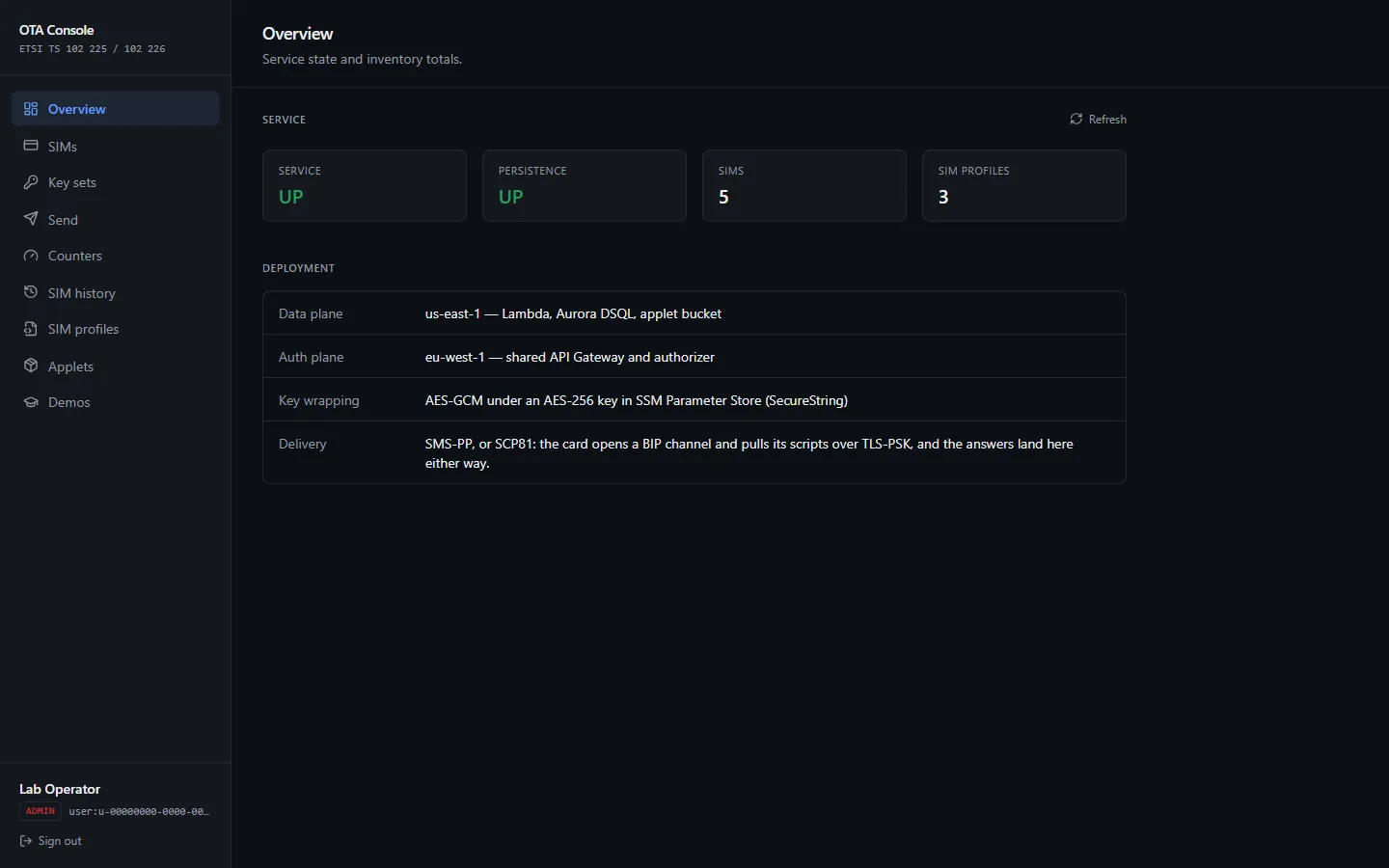
Whether the service and its database are up, how many SIMs and SIM profiles exist, and how commands are delivered.
SIMs
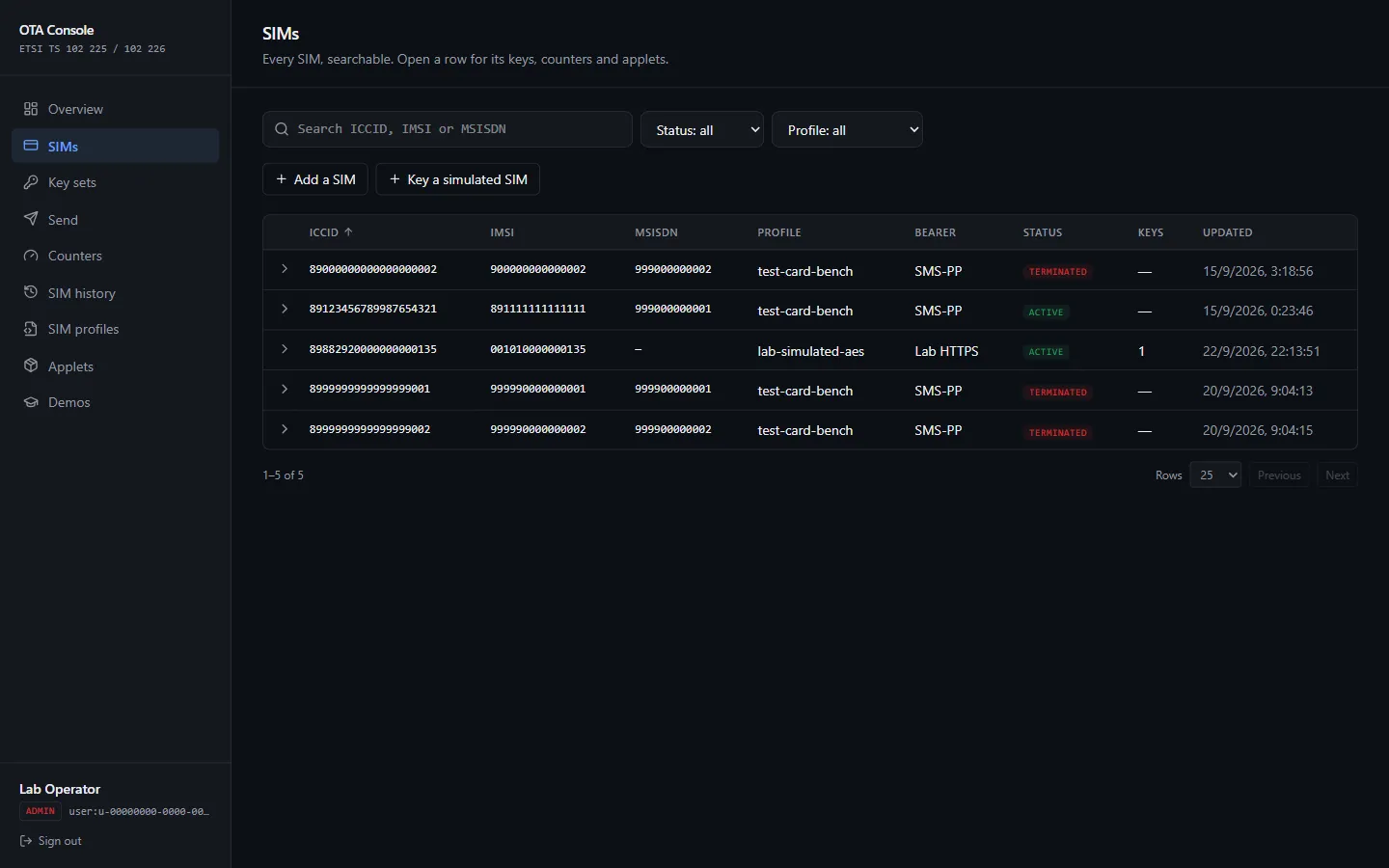
Add a SIM asks for the ICCID, IMSI, an optional MSISDN, and the SIM profile that describes the card model.
Finding one
The section opens on the inventory rather than on a lookup field, so you no longer have to know an ICCID to reach a SIM.
- Search matches part of an ICCID, IMSI or MSISDN — any of the three, in one box.
- Filter by status (active, suspended, terminated) or by SIM profile.
- Sort by ICCID, IMSI, MSISDN, status, profile or when the SIM last changed.
- Page through the results. Twenty-five at a time, up to a hundred.
You only ever see the SIMs you registered. An administrator sees all of them.
Opening a row
A row expands into everything about that SIM on one screen: its profile settings, the key sets it holds and their algorithms, the counter per key version, the applets it is recorded as carrying, and its most recent operation with both verdicts. From there, Send and History jump to those sections with the ICCID already filled in.
Key sets
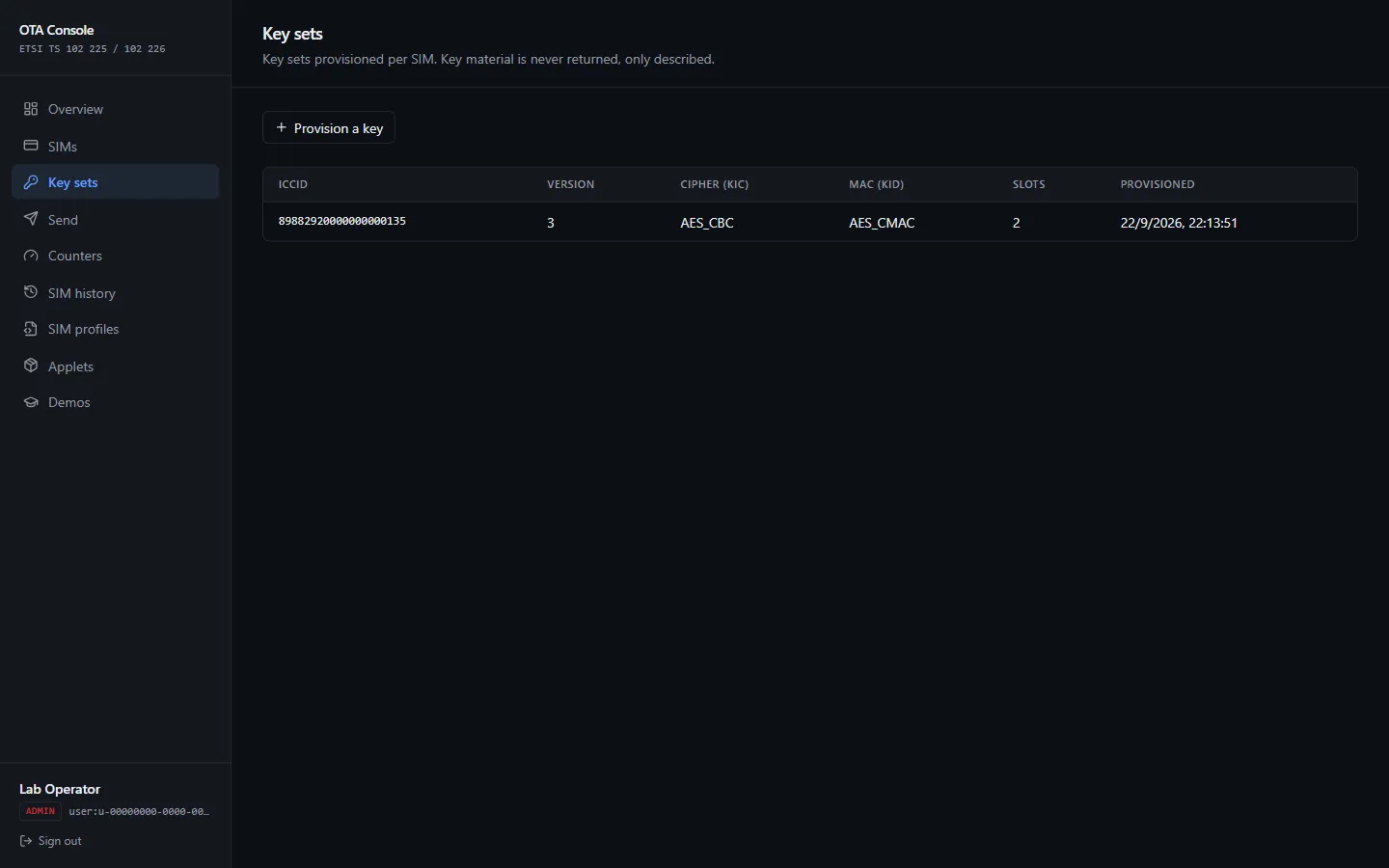
The keys each SIM shares with the server. The console shows which keys exist and their algorithms — never the key values, which do not leave the server once stored.
The form takes one slot per submission. KIc (ciphering) and KID (MAC) are separate rows of the same key version, so provisioning a usable version means filling the form twice: same ICCID, same key version, once with KIc and once with KID. A version missing either is flagged as incomplete, because the card cannot verify a packet under a half-provisioned set.
Key version is a KVN, and rotation never overwrites. Provisioning under a new version adds it alongside the old one rather than replacing it.
Send
Build one command for a SIM and deliver it over that SIM’s own bearer. You say what to send; which bearer carries it is a property of the SIM and is chosen for you.
A simulated card you own gets the packet as a real SMS through the lab’s SMS service, the way a network delivers it to a phone. The result says which way it went: Sent as SMS, or Lab link (no SMS) for a card the SMS service cannot reach or a packet too long for one message.
A command is typed as its four header octets and its data, which is how a remote APDU is framed. The TAR decides which application on the card receives the packet: the SIM profile’s file-management TAR for reading and writing files, its applet-manager TAR for card content.
Build only reads the counter without using it and shows the packet that would go out, so it is safe to run against a SIM with live keys. Dropping it sends for real, consumes a counter value, and records the operation in SIM history.
Which key version is used
If you do not name a key version, the SIM’s newest complete key set is used — the highest version holding both a ciphering and a MAC key. That is what rotation leaves behind: a new version is added beside the old one rather than replacing it, so the newest complete set is the one an operator means. A version with only one of the two keys is skipped, because the card cannot verify a packet under a half provisioned set. Naming a key version explicitly always wins.
A command that is too long to send
Over SMS a packet is split across messages, and a message can only carry a concatenation number up to 255. A script that needs more than that is refused before anything is sent, with the packet size and the number of messages it would take in the message. Nothing reaches the SIM, the counter does not move, and nothing appears in SIM history — so a refusal of this kind leaves no drift to clean up afterwards. Send fewer commands, or use a SIM whose bearer is not SMS.
Reading the octets
Everywhere the console shows a hex string — a built packet, its SMS segments, a card’s answer, an install script, a step of a demo — it is clickable. The inspector breaks the bytes into named fields and explains each one against the standard that defines it: Command and Response Packets, the SMS header and the concatenation fields that split a long packet across messages, command and response APDUs, a card’s applet registry, proactive commands, and the transport records underneath a BIP session.
It decodes in the browser and sends nothing. Anything it cannot recognise is shown as plain octets rather than guessed at.
Counters
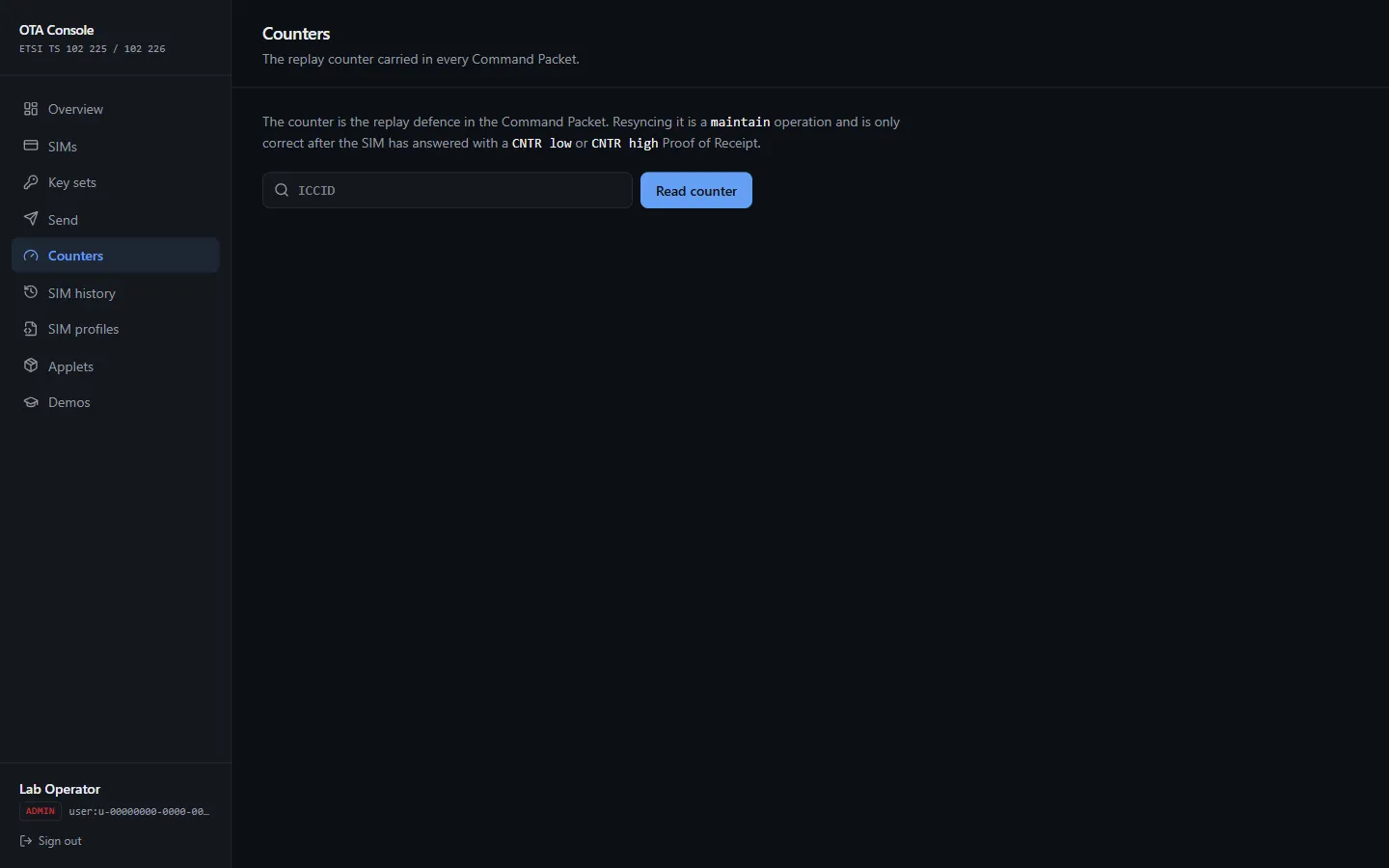
Every secured packet carries a counter that must keep rising, so a recorded packet cannot be replayed. If the server and card drift apart, the card starts rejecting packets with a counter error. Resync (maintain) sets the server’s value to the card’s.
SIM history
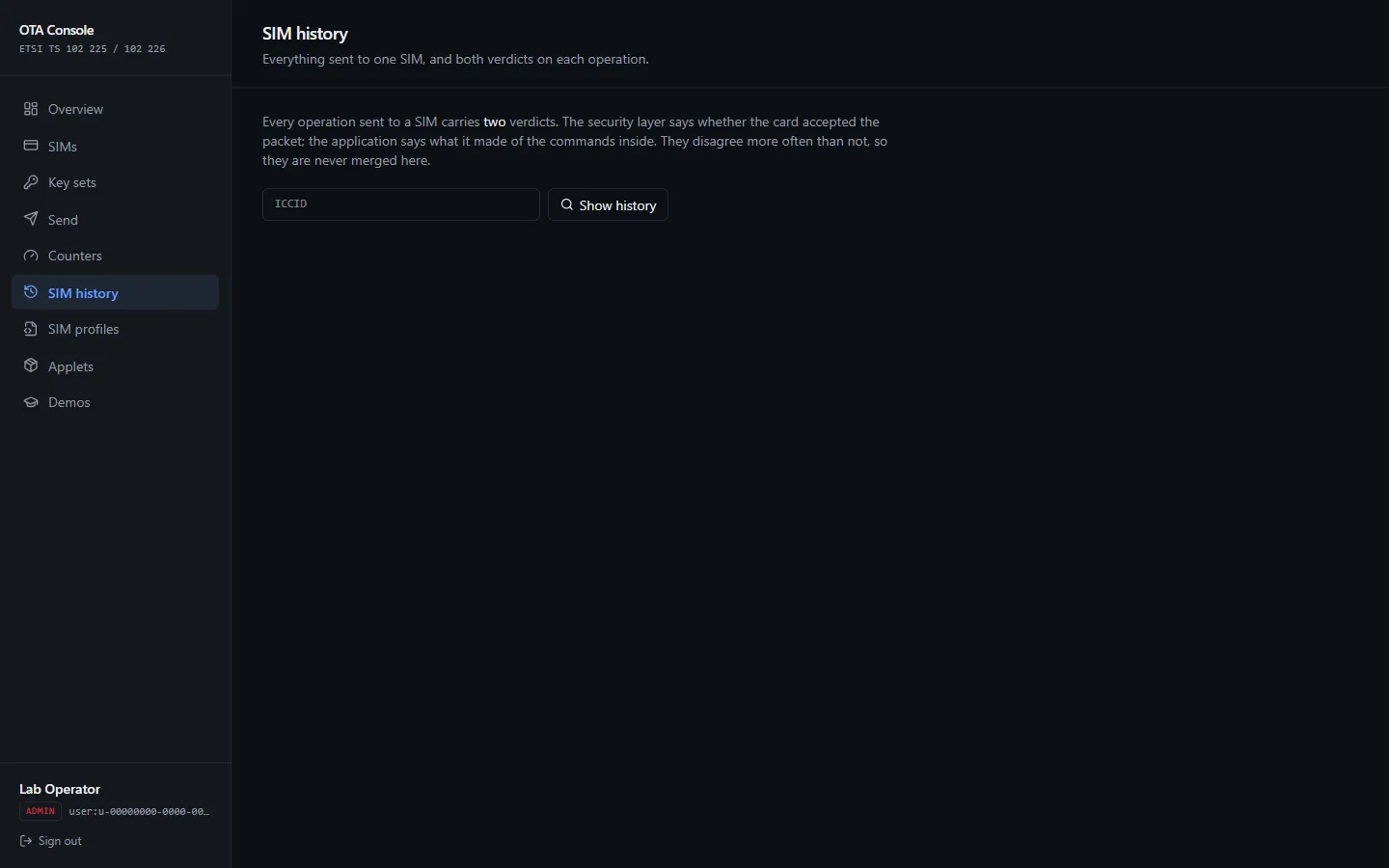
Search by ICCID. Each command shows two verdicts, and they mean different things:
| Verdict | Asks |
|---|---|
| Security | Did the card accept the packet — keys, counter, security level? |
| Application | Did the command inside it succeed? This is the card’s status word. |
A packet can pass security and still fail as a command — for example, the file it targets does not exist.
Each row also carries the octets of both directions — the packet that went out and the card’s raw answer — so a refused operation can be read rather than guessed at. Click either to open the inspector.
SIM profiles
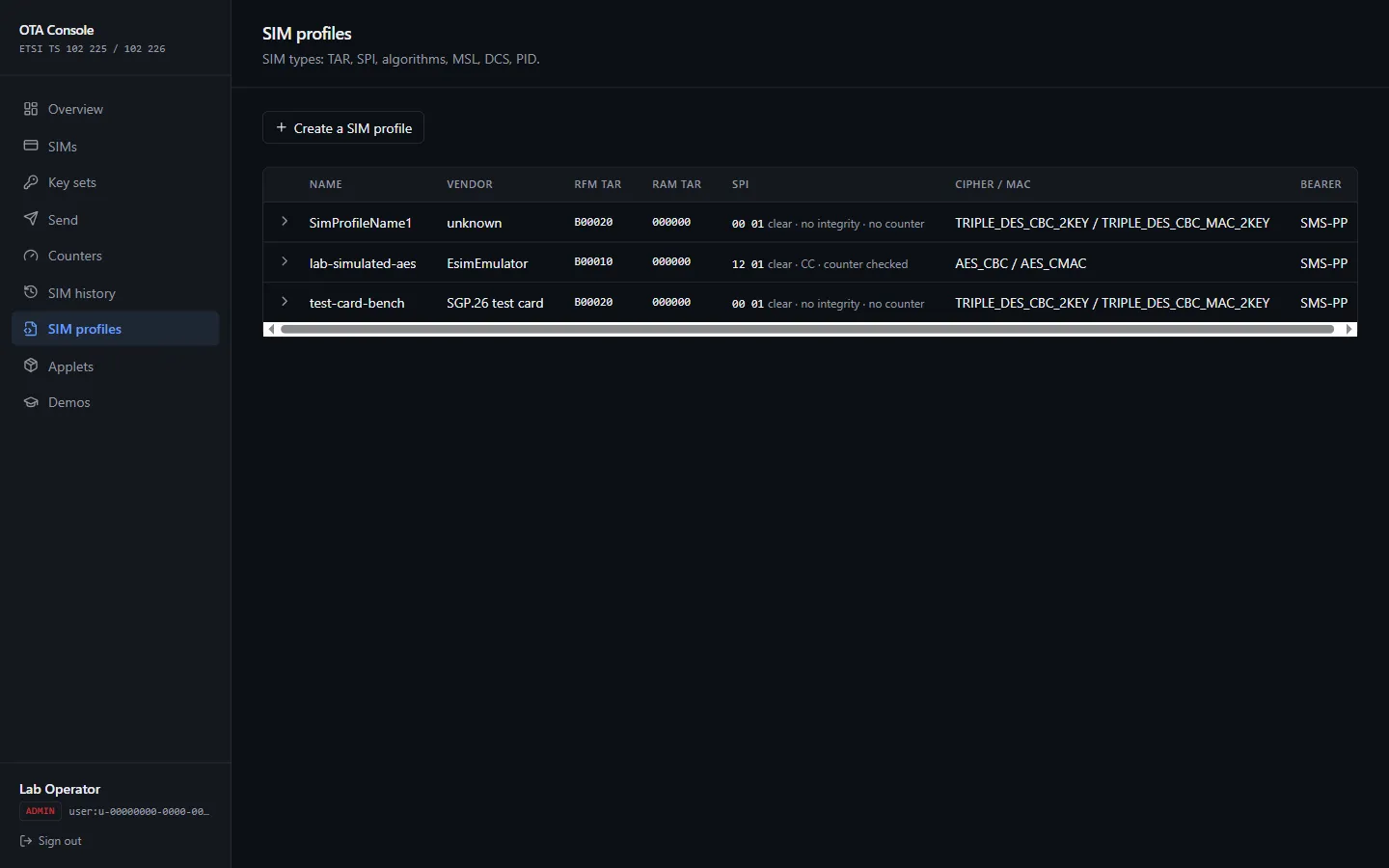
A SIM profile describes a card model: its vendor, the TARs that address its file system (RFM) and applet manager (RAM), and the security level (SPI) packets must meet. The console explains what an SPI value actually requires.
When creating one, a RAM TAR of 000000 means the card manager itself.
Applets
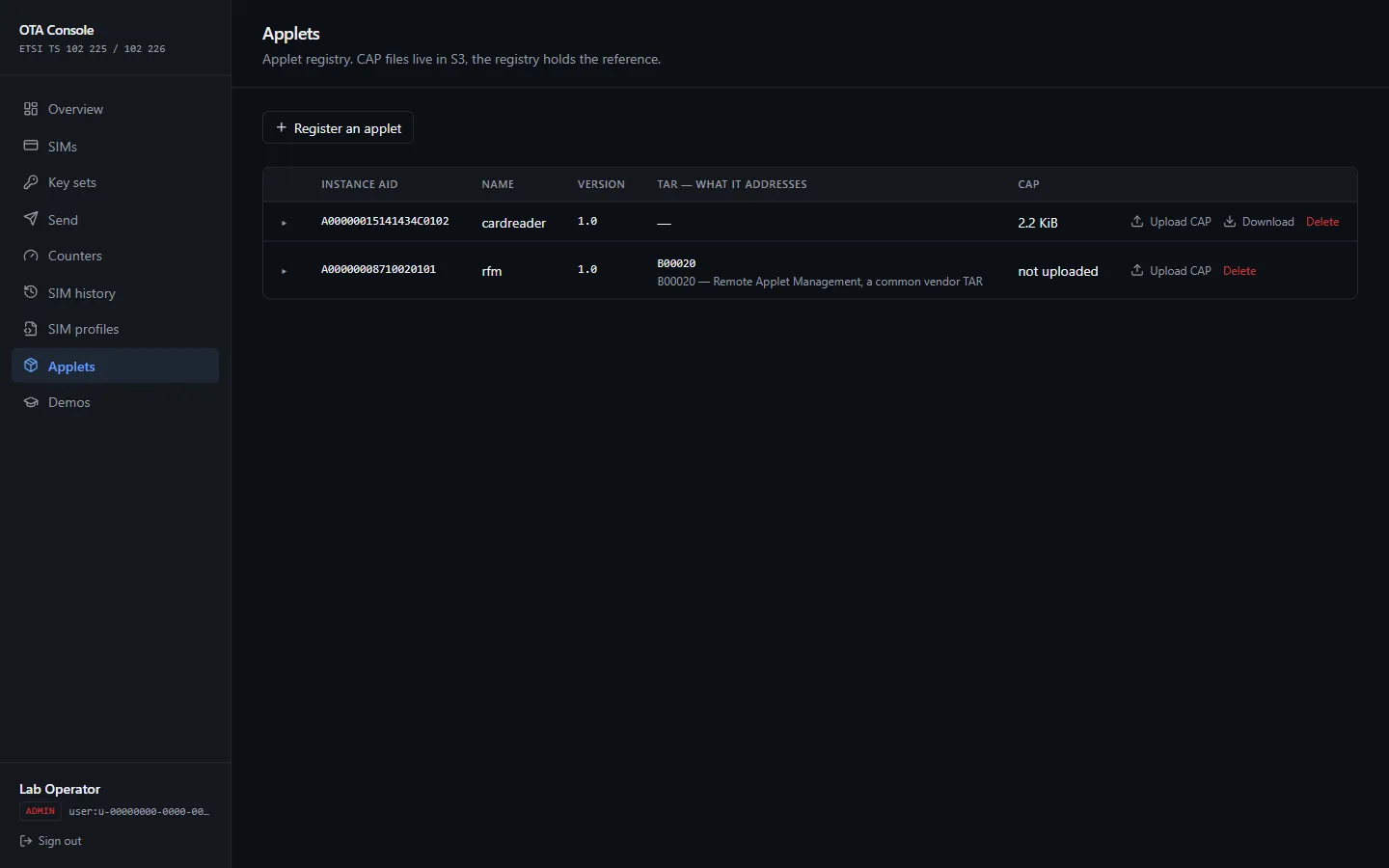
The applets you can install over the air. Register an applet with its name, version and AIDs, then Upload its CAP file. Download fetches the stored file back. Delete removes the registration and its CAP file — it does not touch any SIM.
Whether an applet has a CAP file is asked of storage, not of the registration: the list checks each row’s file, and the size shown comes from the same answer. A registration whose file was never uploaded, or was deleted afterwards, therefore reads as having no CAP file rather than looking installable until the install refuses. A CAP larger than 256 KiB is refused with its size and the limit — far past anything a card applet is, and more messages than a concatenated SMS can number.
Installing one on a SIM
Pick a registered applet and a SIM, and the console builds the install script from the stored CAP file: load the package, then install the applet and make it selectable.
- Build the script shows what would be sent, without sending it — every command, how many octets they come to, and roughly how many SMS messages the install would cost. Worth reading first: a large CAP file becomes a hundred or more commands, and that is what decides how much of it travels per command. The message count is the one that answers “can this be sent at all”, since a concatenated SMS cannot be numbered past 255. It is an estimate; Rehearse below gives the exact figure for that SIM.
- Rehearse builds the actual packet for that SIM, and reads the counter without using it. Nothing reaches the card.
- Install sends it.
The console records the applet as installed only if the card says it ran the script. A card can accept a packet and still refuse the commands inside it, so those are reported separately and a refused install leaves no record behind.
Uninstall removes the applet from the card, and again only forgets it once the card has agreed.
Refresh: ask the SIM what it actually holds
Refresh asks the card for its own list of applets and replaces the console’s record with it — including deleting entries the card no longer reports. Without that, the list only ever grew: an applet removed some other way, or a card re-personalised, left a record of everything that had ever been installed rather than of what is on the card now.
If the card does not answer, nothing changes. Over SMS the answer arrives later, as a Proof of Receipt, so a refresh only works on a SIM whose bearer replies straight away.
An applet the card reports that the registry cannot identify is listed as unknown, and whatever was already recorded for it is kept. The card has just said it is running that applet, so a refresh must not be the thing that forgets it — the console shows the AID and offers to register it instead.
Demos
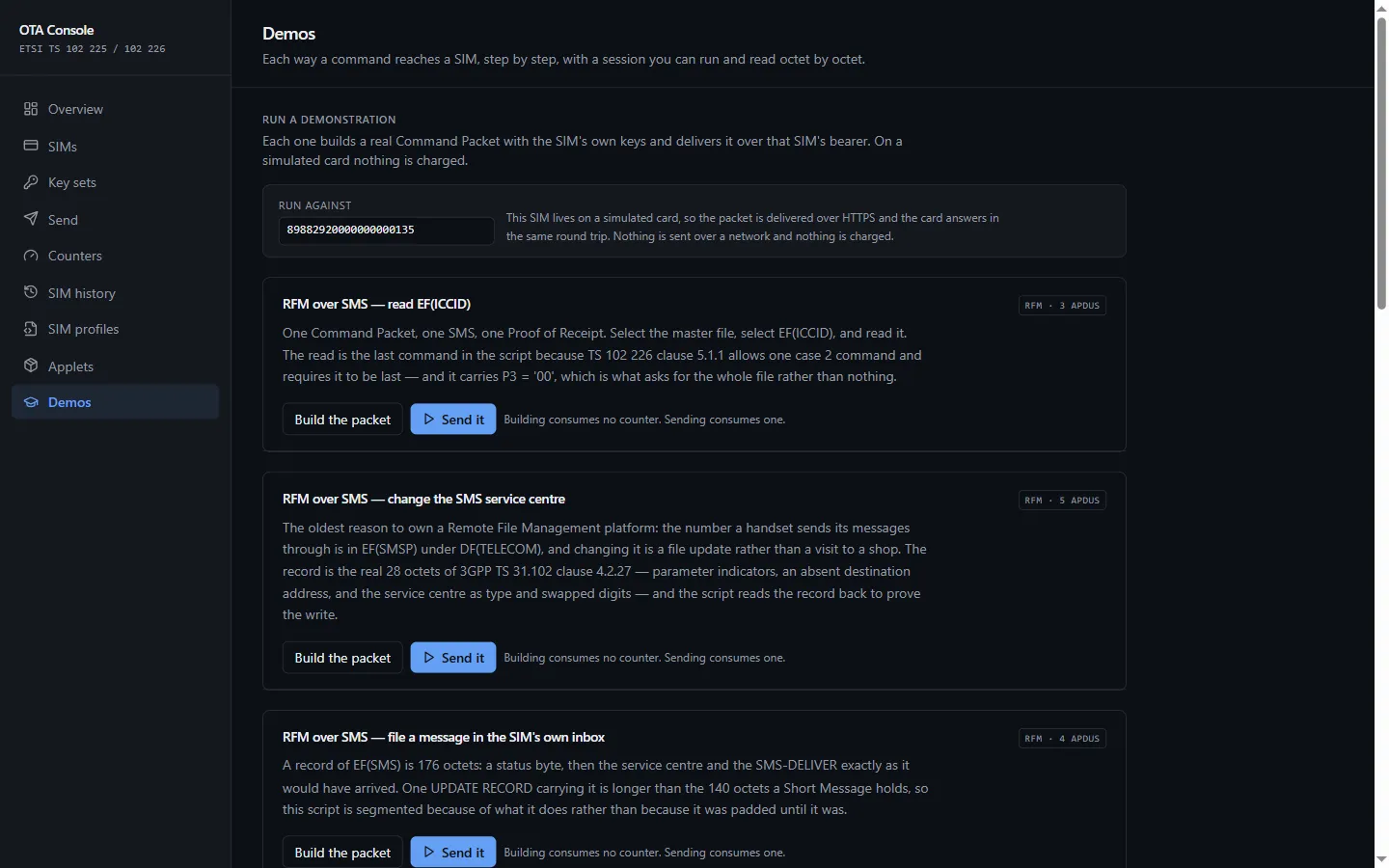
Two things, in this order.
Run a demonstration. A short list of realistic jobs — read a file, write one, do enough of it that the command no longer fits in a single SMS. Each one builds a real command with the chosen SIM’s own keys and delivers it over that SIM’s bearer. Build only stops before sending. On a simulated card nothing is charged.
Installing an applet, by SMS and over HTTPS
RAM over SMS — install an applet loads the registered applet’s CAP file onto
the SIM through its Issuer Security Domain: INSTALL [for load], the CAP in LOAD
blocks, then INSTALL [for install and make selectable]. Build the script lists
every APDU and how many SMS segments it takes. Install it sends it, then asks
the card for its registry (GET STATUS), so the proof is the card’s own word.
Remove it deletes the applet and its package, so the demo can run again — a
second install over a package still on the card is refused 6985, correctly.
RAM over HTTPS — install an applet sends the same script in an SCP81 session (GlobalPlatform Amendment B) instead of as secured SMS.
What changes over HTTPS
RFM over HTTPS — read EF(ICCID) is the SMS demo’s script sent over HTTPS, so
the two can be compared byte for byte. One secured packet — the trigger — asks the
card to call its administration server. The card opens a channel, runs a TLS-PSK
handshake with a key only it and this service hold, and pulls the script, which
travels bare: no SPI, no counter, no segmentation. An RFM script is addressed to the
RFM application by its AID, where an SMS addresses it by TAR. The card reports how
the script went (ok, or why not) and the server ends the session with a 204.
The result is the card’s script status and last status word — there is no Proof of Receipt over HTTPS — followed by the whole session as a numbered timeline, each step opening onto its fields and octets. A simulated card makes its call within the same request. A real one calls back later, and its request settles when it does.
A SIM needs an SCP81 key for these. Key a simulated SIM gives it one alongside the SMS keys.
How a command reaches a card. The steps of an OTA session explained, then Run a session to watch one happen. Run again repeats it. Nothing in this half touches your SIMs.
Troubleshooting
| The card answers | Meaning | What to do |
|---|---|---|
| RC/CC/DS failed | The packet’s checksum or signature did not verify | Check the key version and that both keys are provisioned |
| Counter too low or too high | Server and card have drifted | That answer is the Proof of Receipt a resync needs — now Resync in Counters |
| Counter blocked | The counter reached its maximum | The SIM needs new keys |
| TAR unknown | No applet answers that TAR | Check the applet is installed and the SIM profile’s TARs |
| Insufficient security | The packet is below the card’s minimum security level | Raise the security settings in the SIM profile |